The inspection app property managers rely on.
From your first property to your fiftieth: walk it, capture everything, and hand over a signed, branded report before you're back at the office.
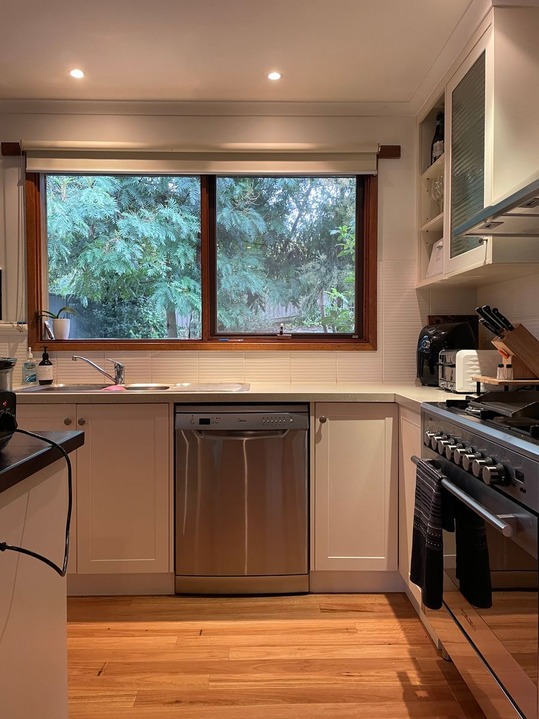 0:14
0:14
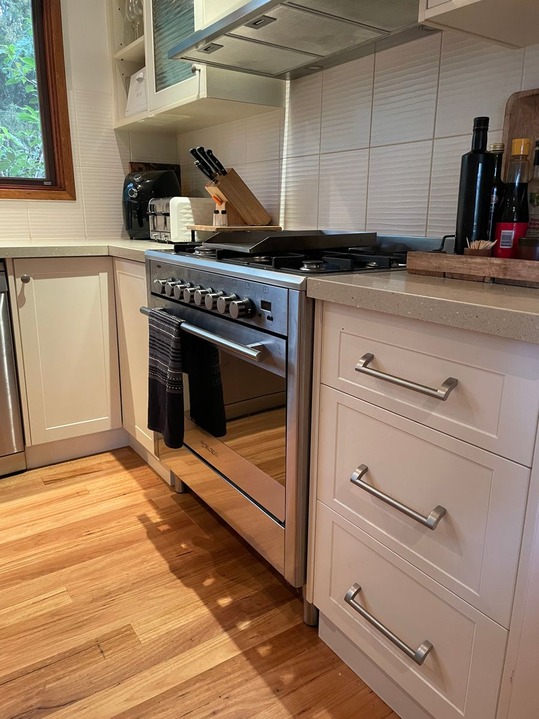
Counter scratched near the sink
EditKitchen template applied
6-point checklist
Tested and working. Batteries due at the next visit.
inspections performed in countries · photos & videos
Inspection admin is eating into time you don't have.
Photos on your phone, notes in a doc, formatting a report back at the office. After a day of inspections, it adds up.
The manual report trap
Photos on your phone, notes in a doc, then an hour back at the office dropping it all into a Word doc and formatting something presentable. Time on admin, not properties. And it still looks like it was made in 2004.
No paper trail when it counts
A tenant disputes the bond. You're sure the damage wasn't there at move-in, but all you have is a folder of undated photos and a checklist you scribbled on paper. A vague record isn't a defensible one.
Inconsistent across your team
Everyone inspects differently. One writes detailed notes, another takes three photos and moves on. No two reports look the same, owners notice, and when a property goes to dispute the inconsistency works against you.
Signed and sent before you're back in the car.
myInspections covers the whole workflow, from setting up a property to collecting signatures.
-
1
Set up the property once
Add the property and build it as you walk, or start from a template. Every area, in the order you walk it, so any inspector who visits follows the same structure.
-
2
Walk it with your phone
Build the report area by area as you go. Photos and video captured in the app, notes for anything that needs context. No transferring files later.
-
3
Draw attention to what matters
See damage or something worth flagging? Circle it, add an arrow, or draw right on the photo. Whoever reads the report sees exactly what you saw.
-
4
Generate the report in one tap
A branded PDF is ready immediately: cover page, room-by-room summaries, photos in place, and a maintenance appendix. No formatting, no copy-pasting, no desktop.
-
5
Share and sign before you leave
Send a live digital link, or have the tenant review and sign on your phone on the spot. Done before you're back at the office.
Oven knob cap is missing
Mark up the photos
Circle issues and annotate straight onto the image as you go.
Learn moreYour checklists
Condition checklists
Work through each area item by item so nothing gets skipped.
Learn moreKitchen faucet
Sink slow drip - needs new faucet mixer
Flag maintenance as you go
Flag a repair the moment you spot it and it lands in the report's maintenance appendix.

Routine
123 Example Street, Nelson 9876 New Zealand
Performed 9 Jul 2026 by Jenny Jackson
Signed by: Jenny Jackson, Sam Ooden, and Tessa Tenant
Kitchen
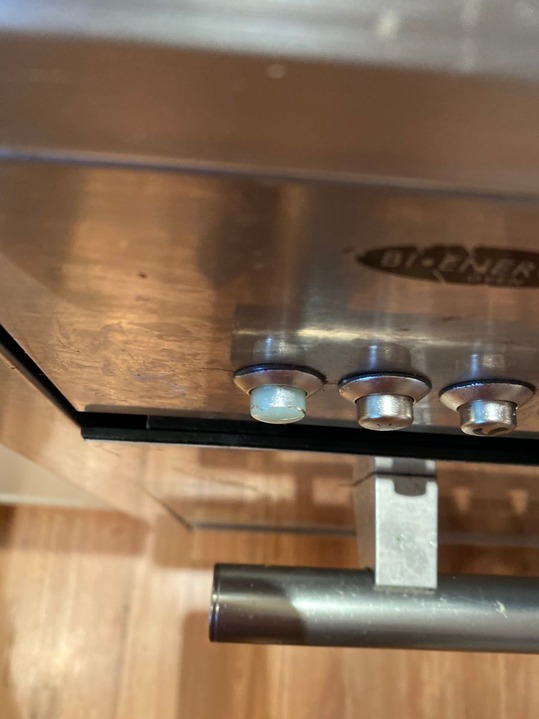 Oven knob cap missing
Reports that hold up.
Branded, signed and defensible: the professional record you can stand behind when a bond's disputed.
Team
+ InviteJenny Jackson
jenny@email.com
Alice Bumblethorpe
alice@email.com
PENDING INVITATIONS
Cam Wobblegate
cam@email.com
Assigned to Cam W.
Routine · 123 Example St
Your whole team, one standard.
Shared templates and clear permissions mean every inspector produces the same quality, whoever's on-site.
Inspections
123 Example St
Routine · every 3 months
8 Willow Lane
Routine · every 6 months
512 Harbor View
Move-out · one-time
27 Maple Grove
Routine · every 3 months
Reminder sent
123 Example St · due Friday
Run the whole portfolio from your desk.
See what's overdue, coming up and done, and let myInspections chase the dates so nothing slips.
Property managers already run on it.
"We're a team of 5 using the app and doing plenty of inspections. A great tool that made our life easier, and it's simply faster."App Store
"Our team uses this app to perform home inspections for nearly 40 rental units. Makes communication about issues for homeowners and the cleaning team easy."MVR Vacation Rentals · App Store
"I love how simple this is to use. The photos and comments are signed, shared, edited, then stored. Any previous report can be accessed easily, so it's a great reference."App Store
Pick a plan, start inspecting.
Manager
$25 / month
- Unlimited inspections & storage
- Condition checklists
- Annotate photos
- Teams - 3 seats
- Inspection & property templates
- Branded reports
No contract, cancel anytime
Start your 14-day trialTeam
$50 / month
- Everything in Manager
- Teams - unlimited seats
- Assign, plan, and delegate inspections
- Free onboarding and assisted setup
No contract, cancel anytime
Start your 14-day trialThings people ask
What does a myInspections report include?
Can I customise the checklist for each property?
How do I set up the layout for a property's report?
How quickly can I run my first inspection?
Does myInspections work for a team of inspectors?
What happens to my existing records if I switch?
Your first report in under an hour.
Set up a property, walk it with the app, and you'll have a shareable, signed report before you're back at the office.